Webhook
Last reviewed: 16 November 2026 · Status: Partial. Read Limits today before you build on webhooks.
A webhook is a URL in your system that BillHive calls when something happens, such as a subscription being cancelled. Use webhooks to grant or remove access in your product, sync your CRM, or alert your team, without polling the API.
Setting up a webhook
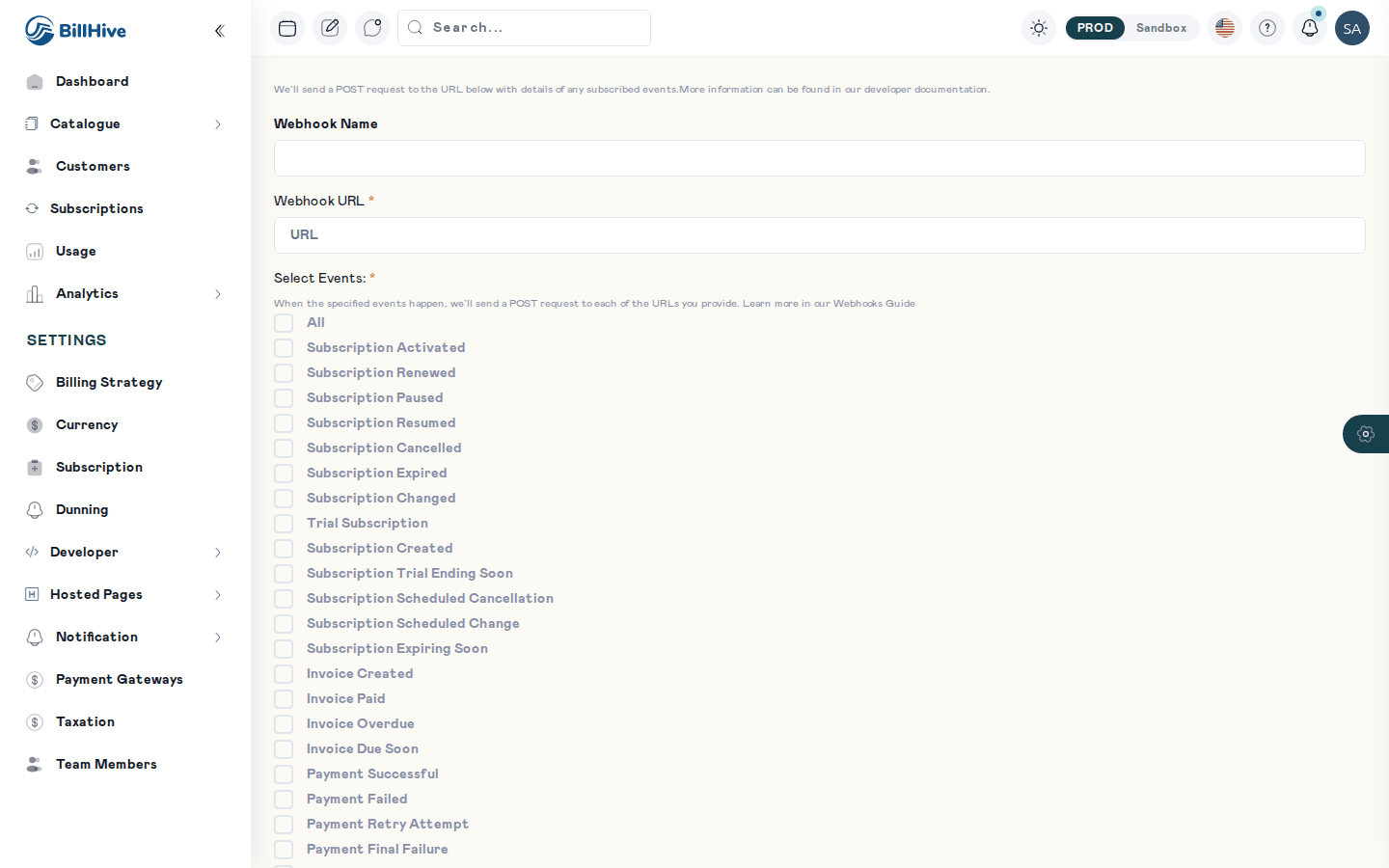
Adding a webhook.
- Go to Settings > Webhooks and add a webhook.
- Enter a Webhook Name and the Webhook URL (HTTPS, reachable from the internet).
- Choose the Content Type (
application/jsonorapplication/x-www-form-urlencoded). Deliveries are currently always sent as JSON, whichever you pick. - Under Select Events, tick the events you want.
- Save. The list shows each webhook’s Url and Status.
Events
You can select any of these events. The Data column says whether the event carries data today.
Subscription events
| Event | Sent when | Data |
|---|---|---|
Subscription Activated | A paid subscription starts | Subscription |
Trial Subscription | A trial starts or is activated | Subscription |
Subscription Renewed | A new term starts | Subscription |
Subscription Changed | Plan upgraded, downgraded or changed; frequency changed; add-ons added or updated; trial extended; subscription reactivated; scheduled change removed; a change mandate is required | Subscription |
Subscription Paused | The subscription pauses | Subscription |
Subscription Resumed | The subscription resumes | Subscription |
Subscription Cancelled | The subscription is cancelled | Subscription |
Subscription Expired | The term ends without renewal | Subscription |
Subscription Created | A future-dated subscription is created | Empty |
Subscription Scheduled Change | A plan, frequency or add-on change is scheduled | Empty |
Subscription Scheduled Cancellation | A cancellation is scheduled | Empty |
Subscription Expiring Soon | Before the term ends, when not renewing | Empty |
Subscription Trial Ending Soon | Before a trial ends | Empty |
Post Cancellation | Some days after a cancellation | Empty |
Invoice, payment and credit events
| Event | Sent when | Data |
|---|---|---|
Invoice Created, Invoice Paid, Invoice Due Soon, Invoice Overdue | Invoice milestones | Empty |
Payment Successful, Payment Failed, Payment Retry Attempt, Payment Final Failure | Payment results and dunning retries | Empty |
Refund Issued, Credit Note Issued | Money returned or credited | Empty |
Payment Method Expiring, Payment Method Expired, Payment Method Updated, Payment Method Missing | Payment method changes | Empty |
Payment Request Created, Auto Debit Reminder | A payment request or upcoming auto-debit | Empty |
Dunning reminders (Payment Reminder, Urgent Notice and so on) are emails only; they have no webhook event.
Request format
BillHive sends an HTTP POST with Content-Type: application/json. For subscription events the body is:
{
  "event": "Subscription Cancelled",
  "data": {
    "id": "6f1c2a9e-...",
    "accountId": "b7d4...",
    "status": "Cancelled",
    "...": "the other fields of the subscription"
  }
}
The data object is the subscription as stored at the time of the event, with the same fields as GET /subscriptions/{id}. Events marked Empty above send {}.
Responding
Return any 2xx status quickly, then do the work in the background. BillHive records the delivery as Delivered for a 2xx response and Failed otherwise, with the response status, for support to look into.
Limits today
| Limit | What it means for you |
|---|---|
| Only subscription events carry data | For invoices and payments, call the API (e.g. GET /invoices) when you need details, or poll on a schedule |
| No signature header | You can’t prove a request came from BillHive. Use a hard-to-guess URL path, accept HTTPS only, and re-read the subscription with GET /subscriptions/{id} before acting on it |
| One attempt, no automatic retry | If your endpoint is down, the event is lost. Reconcile periodically against the API |
| No event ID | De-duplicate on event + data.id + data.status |
These are the current behaviour, not a design promise. Check the Feature Inventory for updates.
Example: grant and revoke access
See Receive webhooks.
Related
- Event Model: how BillHive events become emails and webhooks.
- Notifications: the email side of the same events.