Pause & Resume
BillHive allows subscriptions to be temporarily paused and later resumed. During a pause, billing is suspended and the customer’s access is controlled by your tenant settings. When resumed, the subscription term is extended by the duration of the pause.
Pause Subscription
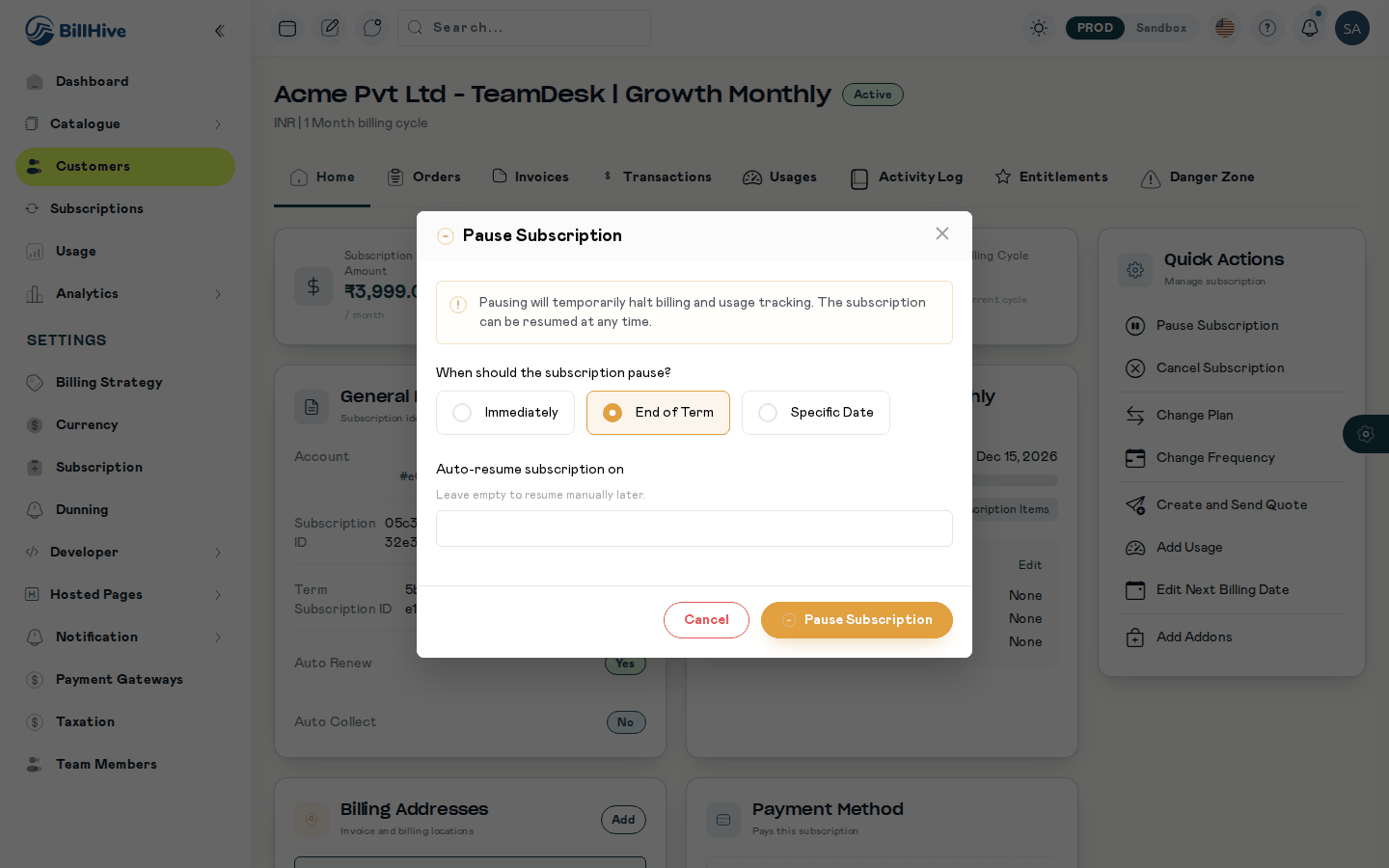
The Pause Subscription dialog.
Available when: Status = Active
Pause Options
| Option | Behavior |
|---|---|
| Immediately | Subscription is paused right now. |
| End of Term | Subscription continues until the current term expires, then pauses. |
| Specific Date | Subscription pauses on the chosen future date. |
The pause form starts on your Default Pause Timing (Settings > Subscription Settings > Pause Subscription): Pause Immediately or Pause on Next renewal (End of Term). Without a default it starts on Immediately. An API request may leave out pauseOption; it then uses the default, or Immediately when none is set.
Form Fields
| Field | Required | Description |
|---|---|---|
| Pause Option | Yes | When the pause takes effect (see above) |
| Pause Date | Conditional | Required only when Pause Option = “Specific Date” |
| Resume Date | Yes | When the subscription should automatically resume. Must be at least 2 days in the future. |
Pause Workflow (Camunda BPMN)
┌──────────────┐
│ Pause Request│
└──────┬───────┘
       ▼
┌──────────────┐
│ Validate     │
│ Pause Request│
└──────┬───────┘
       ▼
┌──────────────┐
│ Update Status│──▶ PAUSED
│ to Paused    │
└──────┬───────┘
       ▼
┌──────────────┐     Renewal order exists?
│ Update       │──── Yes ──▶ Update renewal order + expiring-soon workflow
│ Related      │
│ Workflows    │──── No ──▶ Skip
└──────┬───────┘
       ▼
┌──────────────┐     Resume date provided?
│ Schedule     │──── Yes ──▶ Create resume order + start resume workflow
│ Resume       │
└──────┬───────┘
       ▼
┌──────────────┐
│ Send Pause   │
│ Notification │
└──────┬───────┘
       ▼
    Complete
What Happens When Paused
- Status changes to Paused
- Billing is suspended — no new invoices are generated
- Unbilled charges are handled per your Subscription Settings (invoice them or delete them)
- Existing dunning workflows are handled per your pause dunning settings
- If a renewal order exists, it is updated to account for the pause
- The “expiring soon” notification schedule is adjusted
Remove a Scheduled Pause
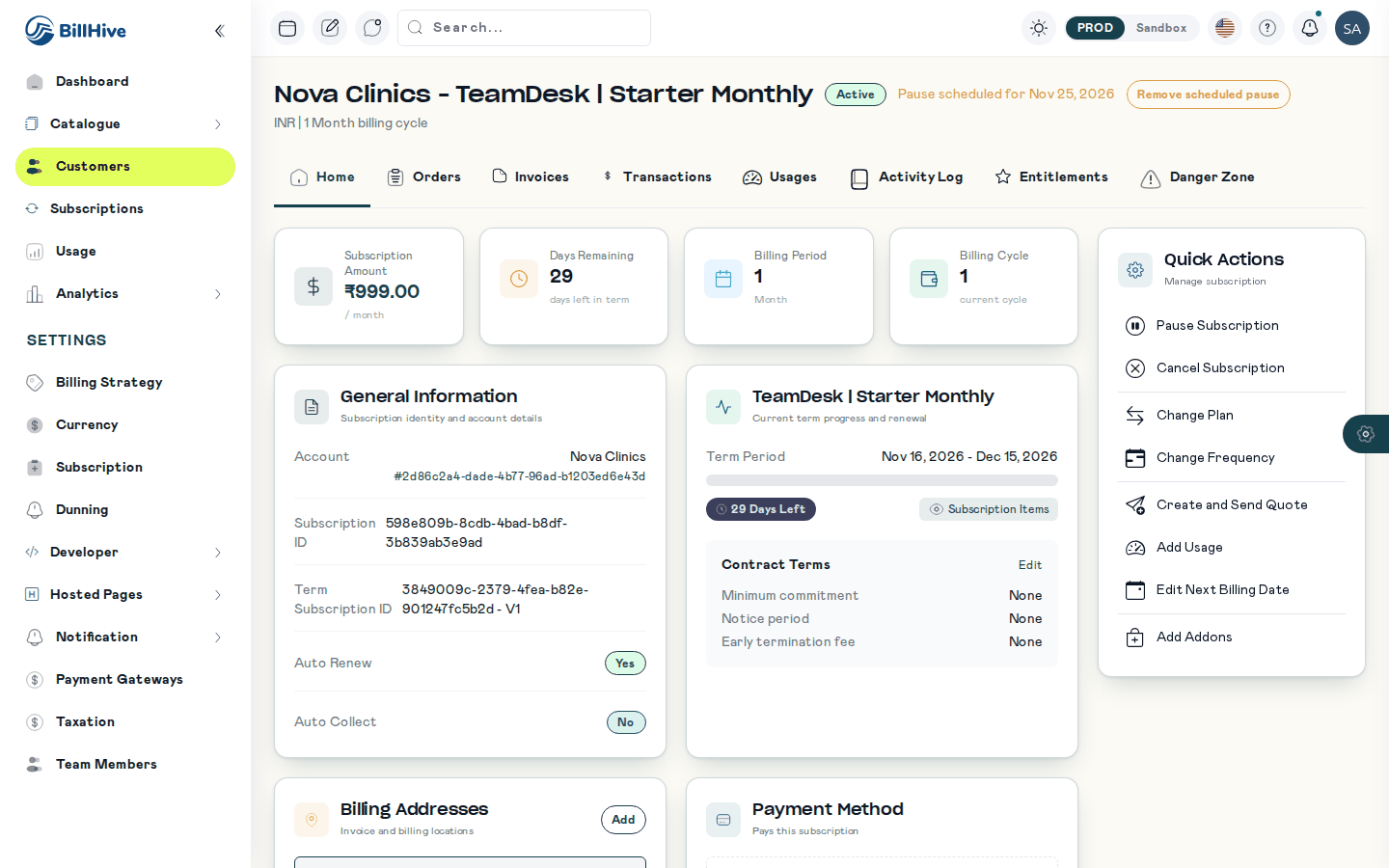
A scheduled pause shows next to the status, with Remove scheduled pause.
A pause set for a future date (Specific Date) can be removed before it starts. On the subscription page, next to “Pause scheduled for …”, choose Remove scheduled pause and confirm. The subscription stays Active and does not pause on that date. If no pause is scheduled, the request fails with “No scheduled pause”.
Resume Subscription
Available when: Status = Paused
Resume Options
| Option | Behavior |
|---|---|
| Immediately | Subscription resumes right now. |
| Specific Date | Subscription resumes on the chosen future date. |
Form Fields
| Field | Required | Description |
|---|---|---|
| Resume Option | Yes | When to resume (see above) |
| Resume Date | Conditional | Required when Resume Option = “Specific Date” |
Resume Workflow (Camunda BPMN)
┌───────────────┐
│ Resume Request│
└──────┬────────┘
       ▼
┌───────────────┐
│ Validate      │
│ Resume Request│
└──────┬────────┘
       ▼
┌───────────────┐
│ Calculate     │──▶ Term end date extended by pause duration
│ Term Extension│
└──────┬────────┘
       ▼
┌───────────────┐     Renewal order exists?
│ Update        │──── Yes ──▶ Update renewal order + expiring-soon workflow
│ Related       │
│ Workflows     │──── No ──▶ Skip
└──────┬────────┘
       ▼
┌───────────────┐
│ Update Status │──▶ ACTIVE
│ to Active     │
└──────┬────────┘
       ▼
┌───────────────┐
│ Send Resume   │
│ Notification  │
└──────┬────────┘
       ▼
    Complete
What Happens When Resumed
- Status changes back to Active
- Term is extended — the expiration date is pushed forward by the number of days the subscription was paused
- Billing resumes from the resume date
- Renewal and expiring-soon workflows are recalculated with the new term end date
Pausing and other scheduled actions
Pausing discards a scheduled plan or frequency change, and a new plan or frequency change discards a scheduled pause (its order is cancelled, its workflow stopped and an activity-log entry written). A pause is refused with “A plan change is still being processed” while an Immediately change is in flight. See The newest action wins.
Term Extension Example
If a subscription with a 12-month term (Jan 1 – Dec 31) is paused from March 1 to April 1 (31 days):
- Original term end: December 31
- Pause duration: 31 days
- New term end: January 31 (next year)
The customer is not charged for the paused period, and their term is extended by the equivalent duration.
Notifications
| Event | Business Event | Description |
|---|---|---|
| Subscription paused | SUBSCRIPTION_PAUSED | Sent when the subscription is paused, includes resume date if set |
| Subscription resumed | SUBSCRIPTION_RESUMED | Sent when the subscription is reactivated |
Configuring Defaults
Default pause and resume behavior is configured in Subscription Settings > Pause Subscription:
- Default pause timing (Pause Immediately / Pause on Next renewal), used by the pause form and by requests without
pauseOption - Unbilled charges handling during pause
- Dunning invoice handling during pause
- Unpaid invoices handling on resume
The resume date and resume timing are chosen on each request. These defaults are not applied to pause and resume requests yet; see Pause Subscription Settings.